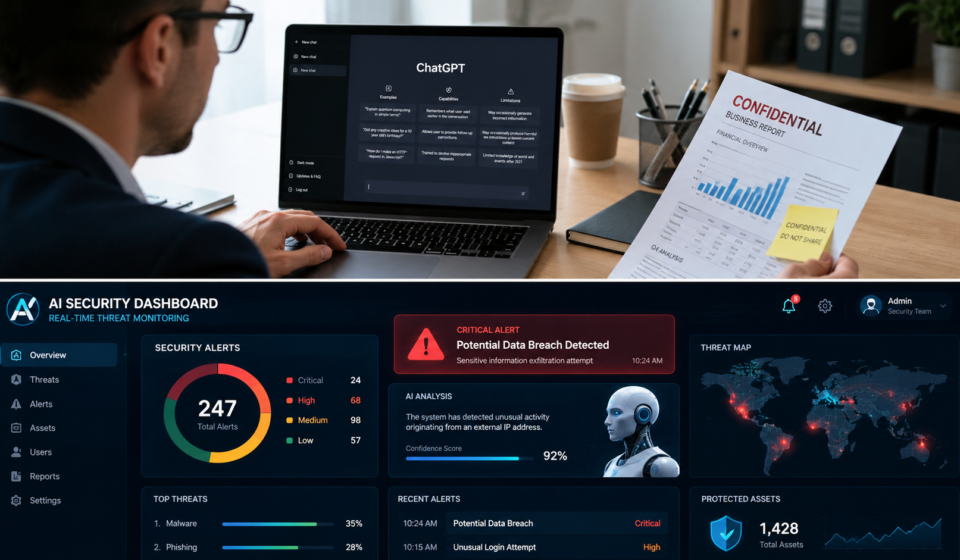

Artificial intelligence has quickly become part of everyday life. Whether you’re asking ChatGPT to write emails, using AI to edit photos, summarize meetings, or generate code, these tools can save you hours every week.
But here’s the catch.
Many people focus so much on what AI can do that they completely forget about security.
That might not seem like a big deal until private customer information, business documents, passwords, or personal details accidentally end up somewhere they shouldn’t.
The truth is that AI Tool Security Mistakes are becoming one of the biggest digital risks for individuals, freelancers, students, and businesses alike.
The good news ?
Most of these mistakes are surprisingly easy to avoid.
In this guide, you’ll learn the most common AI security mistakes people make, why they’re dangerous, and the simple habits that can keep your information safe without making AI any harder to use.
Let’s dive in.
Table of Contents
Why AI Security Matters More Than Ever
AI tools are smarter than ever before.
They’re helping millions of Americans write reports, answer customer questions, design graphics, build websites, and even analyze large amounts of data in seconds.
According to industry reports from organizations like NIST and CISA, AI adoption continues to grow rapidly across workplaces, making cybersecurity awareness more important than ever.
The more people rely on AI, the more valuable their information becomes.
Think about everything you might type into an AI chatbot during a normal workday:
- Customer information
- Meeting notes
- Business plans
- Financial reports
- Legal documents
- Password hints
- Medical information
- Personal conversations
That’s a lot of sensitive information.
If you’re not careful, a simple mistake could expose data you never intended to share.
Read also :- How to Create Professional Images with AI Tools
Common Reasons People Make AI Security Mistakes
Most people don’t intentionally put their data at risk.
Usually, it happens because AI tools feel friendly and trustworthy.
When you’re chatting with an AI assistant, it almost feels like texting a coworker.
But remember:
AI isn’t your personal notebook.
Depending on the service you’re using and its settings, information you enter may be stored, reviewed for quality improvement, or shared within your organization if you’re using a workplace account.
That’s why understanding basic AI safety is becoming an essential digital skill.
The Biggest AI Tool Security Mistakes
1. Sharing Confidential Information
This is probably the biggest mistake people make.
Imagine asking an AI assistant:
“Can you improve this employee performance review ?”
Then you paste the employee’s full name, salary, address, and performance history.
You’ve just shared confidential information.
The same thing happens every day with:
- Contracts
- Medical records
- Tax documents
- Legal agreements
- Customer databases
- Private emails
Even if the AI company has strong security practices, it’s still better not to upload sensitive information unless you’re using an approved enterprise solution designed for that purpose.
Better Practice
Instead of writing:
“John Smith earns $ 95,000 and has three disciplinary reports.”
Write:
“Employee A earns [ salary ] and has several documented performance issues.”
Removing personal information dramatically lowers your risk.
2. Using Weak Passwords
It sounds old-fashioned.
But weak passwords still cause thousands of account breaches every year.
Many people protect their banking app with a strong password…
…then use “Password123” for their AI account.
If someone gains access to your AI account, they may see:
- Saved chats
- Uploaded files
- Business discussions
- Generated documents
- API settings
- Billing information
That’s far more valuable than most people realize.
Better Practice
Create passwords that are:
- At least 16 characters
- Unique for every website
- Random instead of predictable
- Stored in a password manager
Never reuse passwords across multiple accounts.
Read also :- How to Create Professional Images with AI Tools
3. Ignoring Two-Factor Authentication (2FA)
Here’s a simple question.
Would you rather rely on one lock – or two ?
That’s basically what Two – Factor Authentication does.
Even if someone steals your password, they still need your phone, security key, or authentication app to log in.
It takes less than five minutes to enable.
Yet millions of users still skip it.
That’s one of the easiest security wins you’ll ever get.
4. Trusting Every AI Tool You Find Online
The AI boom has created thousands of new websites.
Some are excellent.
Others…
Not so much.
You might search for:
“Free AI image generator.”
Google shows dozens of options.
But how many have trustworthy privacy policies ?
How many explain what happens to your uploaded photos ?
How many delete your files after processing ?
Not all AI services are created equal.
Before Using Any AI Tool
Ask yourself:
- Who owns this tool ?
- Is there a privacy policy ?
- Does it explain data storage ?
- Is HTTPS enabled ?
- Does the company have a good reputation ?
- Are security features clearly documented ?
If you can’t answer these questions, think twice before uploading sensitive files.
Read also :- How to Create Professional Images with AI Tools
5. Forgetting That AI Can Make Mistakes
People often assume AI is always correct.
It isn’t.
AI can:
- Misunderstand information
- Hallucinate facts
- Generate incorrect code
- Misinterpret legal language
- Produce outdated advice
Now imagine combining inaccurate AI responses with sensitive business decisions.
That’s a risky combination.
Always verify important information before acting on it.
Especially when it involves:
- Money
- Legal matters
- Healthcare
- Taxes
- Security
- Customer information
A quick fact-check can save you from expensive mistakes later.
How Businesses Accidentally Create AI Security Risks
Many companies encourage employees to use AI because it improves productivity.
That’s a smart move – but only if it’s done responsibly.
Problems usually start when employees begin using AI without any clear guidelines.
For example:
A marketing employee copies an entire customer database into an AI chatbot to generate personalized email campaigns.
A software developer pastes proprietary source code into a public AI assistant for debugging.
A human resources manager uploads employee performance reviews to summarize annual evaluations.
Each of these actions may seem helpful in the moment, but they can expose confidential business information if the tool isn’t approved for handling sensitive data.
The safest organizations create clear AI usage policies that explain:
- What information can be shared with AI tools
- Which AI platforms are approved for work
- How employees should anonymize sensitive data
- When human review is required before acting on AI – generated content
These simple rules reduce risk while allowing teams to benefit from AI responsibly.
People Also Ask
Is it safe to use AI tools ?
Yes, most well – known AI tools are generally safe when used responsibly. The biggest risks usually come from sharing sensitive information, using weak account security, or relying on unverified AI services.
Can AI tools steal my personal information ?
Reputable AI providers typically have security and privacy measures in place, but anything you share with an AI service should be treated carefully. Avoid entering confidential, financial, medical, or personal information unless you’re using a trusted service and understand its privacy settings.
Are free AI tools secure ?
Some are, while others may have limited security or unclear privacy practices. Before using a free AI tool, review its privacy policy, security features, and reputation to understand how your data is handled.
More AI Tool Security Mistakes You Should Avoid
By now, you’ve seen that many AI security problems aren’t caused by hackers – they’re caused by everyday habits.
The good news ? Once you know what to watch for, staying safe becomes much easier.
Let’s look at more AI Tool Security Mistakes that could put your personal or business data at risk.
Read also :- How to Create Professional Images with AI Tools
6. Clicking AI Phishing Links
Cybercriminals know that AI is one of the hottest topics right now.
That’s why they’re creating fake emails, websites, and login pages that look almost identical to popular AI services.
You might receive an email saying:
“Your AI account has been suspended. Click here to verify your identity.”
Or you may see a social media ad promising:
- Unlimited ChatGPT Premium
- Free lifetime AI subscriptions
- Secret AI tools
- Exclusive beta access
The link looks real.
The website looks real.
But it’s actually designed to steal your password.
How to Stay Safe
Before entering your login information:
- Type the website address yourself instead of clicking links.
- Double-check the domain name.
- Watch for spelling mistakes.
- Never enter passwords on unfamiliar websites.
- Bookmark official AI websites you use regularly.
One careless click can give criminals access to your account.
Read also :- How to Create Professional Images with AI Tools
7. Installing Untrusted AI Browser Extensions
Browser extensions can make AI tools more convenient.
Some help summarize articles.
Others generate emails or improve writing.
Unfortunately, not every extension is trustworthy.
A malicious extension may request permission to:
- Read every website you visit
- Access your browsing history
- View passwords
- Read emails
- Capture screenshots
- Modify website content
That’s much more access than most people realize.
Before Installing Any AI Extension
Ask yourself:
- Who created it ?
- Does it have many positive reviews ?
- Is it regularly updated ?
- Does it request unnecessary permissions ?
- Is it available through the official browser store ?
If an extension asks for access that doesn’t make sense, don’t install it.
8. Uploading Sensitive Files Without Checking Privacy Settings
Many AI platforms allow you to upload:
- PDFs
- Word documents
- Excel spreadsheets
- Images
- Presentations
- Contracts
This feature is incredibly useful.
But it’s also where many users make mistakes.
Imagine uploading:
- Tax records
- Payroll reports
- Customer databases
- Legal agreements
- Medical information
Without checking how those files are handled.
Some platforms offer settings that limit how uploaded content is used. Others provide enterprise options with stronger privacy controls.
Before uploading sensitive information, take a few minutes to review the platform’s privacy options.
That small step can make a big difference.
Read also :- How to Create Professional Images with AI Tools
9. Sharing AI Accounts With Other People
It might seem harmless.
Maybe your coworker needs quick access.
Maybe your friend wants to try a premium feature.
So you share your login.
Now several people have access to:
- Saved conversations
- Uploaded documents
- Billing information
- API keys
- Personal settings
If something goes wrong, it becomes almost impossible to know who made changes.
Instead, use official team or family sharing features if they’re available.
Every person should ideally have their own account.
10. Forgetting to Log Out on Shared Computers
This mistake happens more often than people admit.
Imagine using an AI tool at:
- School
- Library
- Hotel business center
- Coworking space
- Shared office
You finish your work.
Close the browser.
Walk away.
But you never logged out.
The next person could open the browser and instantly access your AI conversations.
Always:
- Log out.
- Clear the browser if needed.
- Avoid saving passwords on public devices.
It only takes a few extra seconds.
11. Using Public Wi-Fi Without Protection
Free Wi-Fi is everywhere.
Coffee shops.
Airports.
Hotels.
Shopping malls.
It’s convenient – but it isn’t always secure.
If you’re working with AI tools while connected to an unsecured public network, your activity may be exposed to unnecessary risks.
Better Options
Whenever possible:
- Use your mobile hotspot.
- Connect through a trusted VPN.
- Avoid accessing sensitive business accounts on public Wi-Fi.
- Turn off automatic Wi – Fi connections.
These habits improve your overall online security – not just when using AI.
12. Giving AI More Permissions Than Necessary
Many AI apps ask for access to:
- Camera
- Microphone
- Contacts
- Calendar
- Files
- Photos
- Location
Sometimes those permissions are necessary.
Sometimes they aren’t.
Before tapping “Allow,” ask yourself:
“Does this app actually need this permission?”
For example:
A voice assistant needs microphone access.
A text-writing app probably doesn’t need your location.
Review app permissions regularly and remove anything you no longer use.
Read also :- How to Create Professional Images with AI Tools
13. Forgetting to Review AI Privacy Settings
Most people create an account…
…and never look at the settings again.
That’s a missed opportunity.
Many AI platforms let you manage:
- Chat history
- Data retention
- Privacy preferences
- Security notifications
- Login history
- Connected devices
Spending five minutes reviewing these settings can improve your privacy significantly.
Make it part of your digital routine.
14. Trusting AI With Every Decision
AI is an amazing assistant.
It’s not a replacement for human judgment.
For example:
AI can help draft a contract.
It shouldn’t replace a qualified attorney.
AI can summarize medical research.
It shouldn’t diagnose serious health conditions.
AI can explain tax concepts.
It shouldn’t replace professional tax advice.
Use AI as a helpful assistant – not your only source of truth.
A Simple AI Security Checklist
If you only remember one section from this article, make it this one.
Before using any AI tool, ask yourself:
Am I sharing confidential information ?
Is my password unique and strong ?
Is two – factor authentication enabled ?
Am I using the official website ?
Do I trust this AI provider ?
Have I reviewed the privacy settings ?
Am I using a secure internet connection ?
Does this app really need these permissions ?
Have I verified important AI-generated information ?
If you answered “No” to any of these, take a moment to fix it before continuing.
Best Practices for Using AI Safely
You don’t need to become a cybersecurity expert.
A few smart habits can go a long way.
Protect Your Accounts
- Use a password manager.
- Enable multi – factor authentication.
- Monitor login activity.
- Update passwords if you suspect a breach.
Protect Your Data
- Remove names and personal details before uploading documents.
- Avoid sharing financial records.
- Don’t upload customer databases to public AI tools.
- Read privacy policies before using new services.
Protect Your Devices
- Keep your operating system updated.
- Install security updates promptly.
- Use reputable antivirus software.
- Remove unused browser extensions.
Protect Your Business
Organizations should create clear AI usage guidelines that cover:
- Approved AI tools
- Employee training
- Data classification rules
- Secure document handling
- Human review for sensitive decisions
- Incident reporting procedures
A little planning today can prevent costly problems tomorrow.
Read also :- How to Create Professional Images with AI Tools
Trusted Resources to Learn More
If you’d like to improve your understanding of AI security and cybersecurity, these trusted organizations offer practical guidance:
- National Institute of Standards and Technology (NIST): https://www.nist.gov/
- Cybersecurity and Infrastructure Security Agency (CISA): https://www.cisa.gov/
- National Cybersecurity Alliance: https://staysafeonline.org/
These organizations regularly publish security tips, best practices, and educational resources for individuals and businesses.
Read also :- How to Create Professional Images with AI Tools
Final Thoughts
Artificial intelligence is changing the way we work, learn, and solve problems.
It’s helping students finish assignments faster, allowing small businesses to automate repetitive tasks, and giving professionals powerful tools to improve productivity.
But every powerful technology comes with responsibility.
The biggest AI Tool Security Mistakes aren’t usually caused by sophisticated hackers – they’re caused by simple habits like weak passwords, sharing confidential information, skipping two-factor authentication, or trusting unfamiliar AI tools without checking their privacy practices.
Fortunately, these mistakes are easy to avoid once you know what to look for.
Think before you upload.
Verify before you trust.
Protect your accounts.
Review your privacy settings.
And remember: AI is one of the most useful tools you’ll ever use – but it’s still your responsibility to use it wisely.
By following the best practices in this guide, you can enjoy the benefits of AI while keeping your personal information, business data, and online accounts much safer.