How AI Tools Are Changing Everyday Work in America

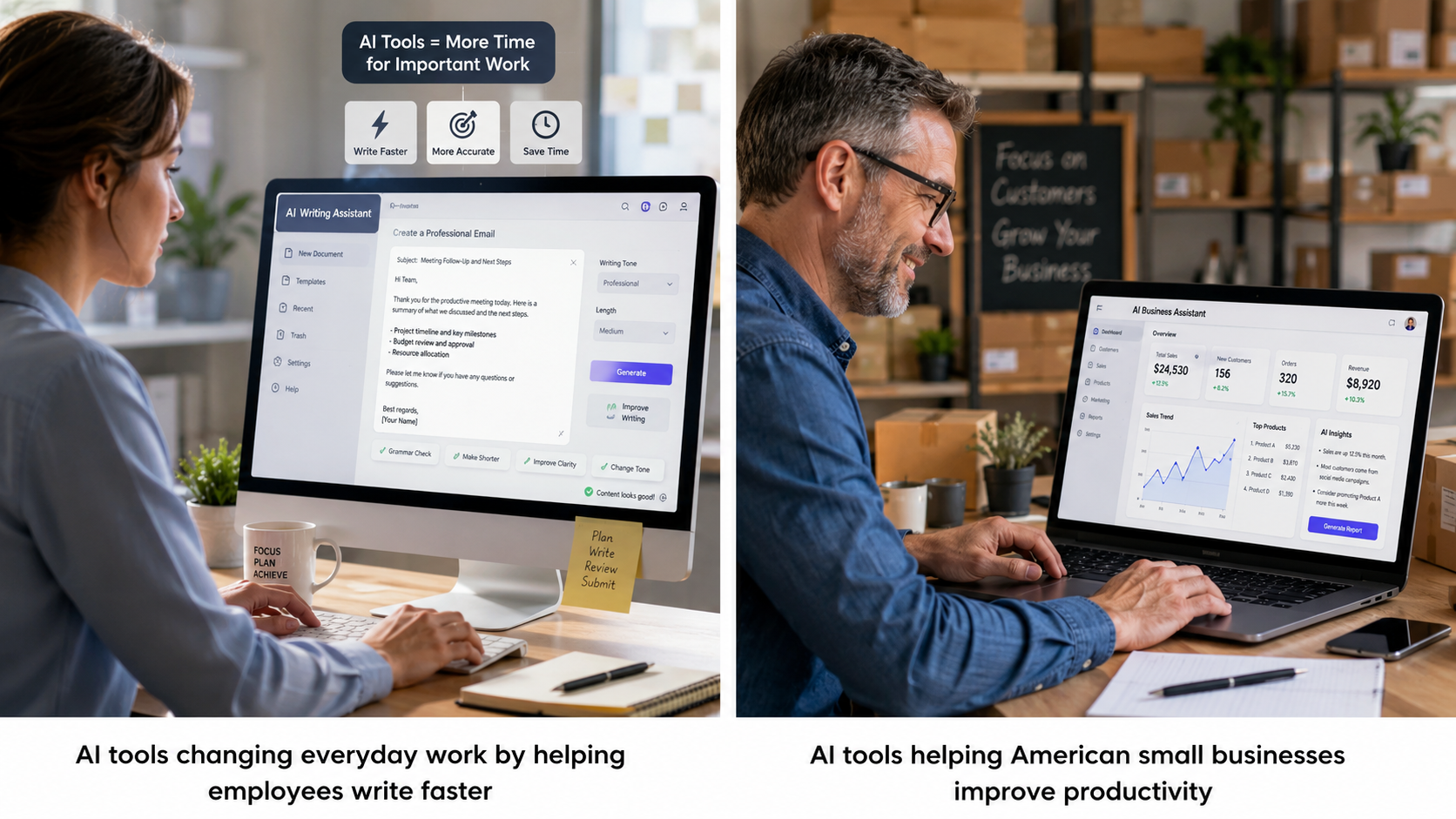
Artificial intelligence isn’t just something you hear about on the news anymore. It’s quietly becoming part of everyday work across the United States. Whether you’re answering emails, writing reports, designing graphics, organizing meetings, or helping customers, there’s a good chance an AI tool can make the job faster and easier.
A few years ago, using AI at work sounded like something only giant tech companies could afford. Today, that’s completely different. Freelancers, teachers, office workers, healthcare professionals, small business owners, and even students are using AI every single day.
The best part? You don’t need to be a programmer or computer expert to benefit from it.
If you’ve ever wished there were more hours in the day, AI might be the closest thing to finding extra time. It can handle repetitive work, organize information, generate ideas, and even help you avoid small mistakes before they become bigger problems.
In this guide, you’ll discover exactly how AI tools are changing everyday work, which industries are seeing the biggest impact, and how you can start using these tools without feeling overwhelmed.
Table of Contents
Why AI Is Becoming a Normal Part of Work
Not long ago, many people thought artificial intelligence would replace every job overnight. Thankfully, real life has turned out to be much more balanced.
Instead of replacing workers, AI is helping many people become more productive.
Think about your typical workday.
You probably spend time:
- Replying to emails
- Searching for files
- Creating presentations
- Taking meeting notes
- Scheduling appointments
- Researching information
- Writing documents
- Organizing spreadsheets
None of these tasks are impossible.
They’re just repetitive.
That’s exactly where AI shines.
Instead of spending 30 minutes writing an email from scratch, AI can create a draft in seconds. Instead of manually summarizing a one-hour meeting, AI can provide organized notes almost instantly.
The result?
You spend less time doing routine work and more time solving problems that actually require human thinking.
Read also :- How Students Can Use AI Tools to Study Smarter
AI Isn’t Replacing You – It’s Becoming Your Assistant
One of the biggest misconceptions about artificial intelligence is that it wants your job.
In reality, most AI software works more like an incredibly fast assistant.
Imagine having someone who could instantly:
- Organize your calendar
- Rewrite documents
- Summarize reports
- Translate languages
- Create presentation outlines
- Answer common customer questions
- Generate creative ideas
That’s what modern AI tools are designed to do.
You still make the important decisions.
AI simply helps you reach them faster.
Everyday Jobs Already Using AI
Many Americans use AI during work without even realizing it.
Here are just a few examples.
Office Workers
Office employees use AI to:
- Draft professional emails
- Create reports
- Build presentations
- Organize meetings
- Analyze spreadsheets
- Summarize long documents
Instead of spending hours formatting reports, workers can focus on interpreting the results.
Customer Service Teams
Customer support has changed dramatically.
AI chatbots now answer simple questions like:
- Order status
- Refund policies
- Password resets
- Shipping updates
- Appointment scheduling
Human agents can then spend more time solving complex customer problems that require empathy and experience.
Customers also benefit because they receive answers much faster.
Marketing Professionals
Marketing teams probably adopted AI faster than almost any other industry.
Today they use AI for:
- Blog writing
- Social media captions
- Email campaigns
- Keyword research
- Ad copy
- Market analysis
- Content planning
Instead of staring at a blank screen wondering what to write, marketers can generate ideas within seconds.
Of course, the best content still needs a human touch. AI creates the first draft, while people add creativity, personality, and accuracy.
Teachers and Educators
Teachers have incredibly busy schedules.
Many now use AI to help create:
- Lesson plans
- Practice quizzes
- Homework ideas
- Classroom activities
- Reading summaries
This saves valuable planning time while allowing teachers to spend more energy helping students learn.
AI isn’t replacing education – it’s helping educators manage their workload more efficiently.
Healthcare Professionals
Doctors and nurses are also beginning to benefit from AI.
Some healthcare organizations use AI to:
- Organize patient records
- Summarize medical notes
- Schedule appointments
- Reduce paperwork
- Improve workflow
Healthcare professionals still make every important medical decision, but AI helps reduce administrative tasks that often consume valuable time.
The Biggest Benefits of AI at Work
So why are millions of workers embracing AI ?
The answer comes down to one simple word:
Efficiency.
Here are some of the biggest advantages.
Read also :- How Students Can Use AI Tools to Study Smarter
1. It Saves Time
This is the benefit most people notice first.
Imagine spending:
- 45 minutes writing a report
- 20 minutes creating meeting notes
- 30 minutes organizing data
AI can reduce many of these tasks to just a few minutes.
Those saved minutes quickly add up over an entire week.
2. It Reduces Repetitive Work
Nobody enjoys copying information between documents or writing nearly identical emails all day.
AI automates many repetitive tasks, allowing you to focus on work that’s more interesting and valuable.
That doesn’t just improve productivity – it often makes work feel less exhausting.
3. It Helps Generate Better Ideas
Everyone experiences creative blocks.
Whether you’re writing an article, designing a presentation, or planning a marketing campaign, coming up with fresh ideas isn’t always easy.
AI can provide:
- Brainstorming ideas
- Headlines
- Outlines
- Project names
- Marketing slogans
- Presentation structures
You don’t have to use every suggestion, but having somewhere to start can make a huge difference.
4. It Improves Accuracy
Humans make mistakes.
We forget details.
We miss spelling errors.
We overlook formulas in spreadsheets.
AI can help identify small mistakes before they become larger problems.
While it’s still important to review AI – generated work, having a second “set of eyes” often improves the final result.
5. It Makes Small Businesses More Competitive
Large corporations used to have access to expensive software and huge teams.
Today, AI is helping level the playing field.
A small business owner can now:
- Create professional marketing materials
- Respond to customers faster
- Analyze sales trends
- Produce social media content
- Write website copy
- Automate scheduling
Without hiring additional employees, many entrepreneurs can accomplish much more than they could just a few years ago.
That’s one of the biggest reasons AI adoption continues to grow across the United States.
Is AI Really Worth Learning ?
This is one of the most common questions people ask.
The short answer ?
Absolutely.
Learning how to use AI doesn’t mean becoming a software engineer. In fact, most modern AI tools are designed for everyday users with little or no technical experience.
If you can search the internet, send an email, or create a document, you can probably learn to use AI with just a little practice.
Even spending 15 to 20 minutes exploring an AI assistant each day can help you discover shortcuts that save hours over the course of a month.
The key is to think of AI as a helpful teammate – not a replacement for your skills. Your experience, creativity, and judgment still matter. AI simply helps you work smarter by handling many of the repetitive tasks that slow you down.
As more workplaces adopt AI, becoming comfortable with these tools may also give you an advantage when applying for new jobs or taking on bigger responsibilities.
Read also :- How Students Can Use AI Tools to Study Smarter
The Most Popular AI Tools Americans Use Every Day
AI is no longer limited to tech companies. Today, people in almost every industry use AI – powered software to save time, reduce stress, and get more done during the workday.
Here are some of the most popular types of AI tools making a real difference.
1. AI Writing Assistants
Writing emails, reports, blog posts, proposals, and meeting summaries can take hours.
AI writing assistants help by:
- Drafting emails
- Rewriting sentences
- Fixing grammar
- Creating outlines
- Summarizing documents
- Brainstorming ideas
Instead of staring at a blank page, you can start with an AI – generated draft and customize it to match your voice.
Pro Tip: Never copy AI – generated text without reviewing it. Your personal experience and knowledge make the final version much stronger.
2. AI Meeting Assistants
Ever leave a meeting and immediately forget half of what was discussed?
You’re not alone.
AI meeting assistants can:
- Record meetings
- Create summaries
- Highlight action items
- List important decisions
- Organize follow – up tasks
This means you can spend less time taking notes and more time participating in the conversation.
3. AI Design Tools
Not everyone is a graphic designer.
Fortunately, AI can help create:
- Social media graphics
- Business presentations
- Marketing banners
- Product mockups
- Simple logos
- Promotional images
Small businesses especially benefit because they can create professional-looking visuals without hiring a full – time designer.
4. AI Coding Assistants
Software developers are using AI to speed up programming tasks.
These tools help with:
- Writing code
- Finding bugs
- Explaining complex functions
- Generating documentation
- Suggesting improvements
Developers still review and test everything, but AI removes much of the repetitive work.
5. AI Customer Support
Customer service has changed dramatically over the last few years.
Instead of waiting on hold for simple questions, customers often receive instant answers through AI – powered chat systems.
These systems can handle requests like:
- Tracking orders
- Password resets
- Store hours
- Refund policies
- Appointment scheduling
When a problem becomes more complicated, a human representative takes over.
This combination creates faster service while allowing support teams to focus on issues that truly need personal attention.
Read also :- How Students Can Use AI Tools to Study Smarter
How Different Industries Are Using AI
AI isn’t changing just one profession.
It’s affecting nearly every industry in America.
Let’s look at some real-world examples.
Retail
Retail stores use AI to:
- Predict customer demand
- Recommend products
- Manage inventory
- Improve online shopping
- Personalize promotions
Ever notice how online stores seem to know exactly what you’re interested in ?
That’s often AI analyzing shopping behavior to suggest relevant products.
Banking and Finance
Financial institutions use AI to:
- Detect fraud
- Analyze transactions
- Improve security
- Answer customer questions
- Speed up loan processing
AI helps identify unusual activity much faster than manual reviews.
That means customers enjoy better protection against fraud.
Manufacturing
Factories have used automation for years.
Now AI is making production even smarter by helping:
- Predict equipment failures
- Improve quality control
- Reduce downtime
- Optimize supply chains
- Improve workplace safety
Instead of fixing machines after they break, companies can often identify problems before they happen.
Real Estate
Real estate professionals use AI to:
- Write property descriptions
- Analyze housing trends
- Schedule appointments
- Respond to client questions
- Organize paperwork
This gives agents more time to focus on helping buyers and sellers.
Human Resources
Hiring employees involves reviewing hundreds of resumes.
AI helps HR teams by:
- Sorting applications
- Matching skills
- Scheduling interviews
- Answering applicant questions
- Creating job descriptions
Human recruiters still make hiring decisions, but AI speeds up the early stages of the process.
Read also :- How Students Can Use AI Tools to Study Smarter
A Day at Work Before and After AI
Let’s imagine Sarah, an office manager.
Before AI
Sarah spends her morning:
- Reading 80 emails
- Writing meeting notes
- Updating spreadsheets
- Scheduling appointments
- Creating reports
By lunchtime, she’s already overwhelmed.
After AI
Now Sarah uses AI to:
- Draft email replies
- Summarize meetings
- Organize spreadsheets
- Schedule appointments automatically
- Generate report templates
Instead of spending all day on repetitive work, she has extra time to solve problems, collaborate with coworkers, and plan future projects.
That’s the real value of AI.
It doesn’t eliminate work.
It removes unnecessary busywork.
Common Myths About AI
Let’s clear up a few misconceptions.
Myth 1: AI Knows Everything
No.
AI can make mistakes.
It sometimes provides outdated or incorrect information.
That’s why it’s important to verify facts before using AI-generated content.
Myth 2: AI Will Replace Every Job
Some tasks will become automated.
But most jobs involve communication, creativity, leadership, empathy, and decision-making.
These are areas where humans continue to play the most important role.
Myth 3: AI Is Only for Tech Experts
Not anymore.
Many AI tools work just like regular websites or smartphone apps.
If you know how to use a search engine, you can probably learn most AI tools without much difficulty.
Myth 4: AI Removes Creativity
Actually, many creative professionals use AI for brainstorming.
The final product still depends on human imagination.
Think of AI as a creative partner rather than a replacement.
Tips for Getting Better Results from AI
Using AI effectively is a skill.
The better your instructions, the better your results.
Here are a few practical tips.
Be Specific
Instead of saying:
Write an email.
Try:
Write a friendly email thanking a customer for their purchase and inviting them to leave a review.
Specific requests produce much better responses.
Give Context
Explain:
- Who the audience is
- What tone you want
- Your goal
- Important details
The more context AI receives, the more useful its answers become.
Review Everything
Never assume AI is perfect.
Always check:
- Facts
- Numbers
- Dates
- Grammar
- Brand names
- Links
A quick review can prevent embarrassing mistakes.
Experiment
Sometimes changing just one sentence in your prompt creates dramatically better results.
Don’t be afraid to test different instructions.
Learning through experimentation is one of the fastest ways to improve.
Read also :- How Students Can Use AI Tools to Study Smarter
Responsible AI Use at Work
As AI becomes more common, using it responsibly matters more than ever.
Keep these best practices in mind.
Protect Sensitive Information
Never paste confidential company information into AI tools unless your organization specifically approves it.
Examples include:
- Customer records
- Financial data
- Medical information
- Passwords
- Legal documents
Privacy should always come first.
Stay Transparent
If AI helped create a report or presentation, follow your workplace policies regarding disclosure.
Many organizations encourage responsible AI use while expecting employees to review and verify the final work.
Continue Learning
AI evolves quickly.
New features appear almost every month.
Spending a little time learning new tools can keep your skills current and improve your long – term career opportunities.
People Also Ask (PAA)
How are AI tools changing everyday work ?
AI tools automate repetitive tasks, improve productivity, assist with writing, organize information, and help employees focus on more meaningful work instead of routine administrative tasks.
What jobs benefit the most from AI ?
Office workers, marketers, customer service representatives, software developers, healthcare professionals, teachers, financial analysts, and small business owners all benefit from AI – powered productivity tools.
Is AI difficult to learn ?
No. Most modern AI tools are designed for beginners. With basic computer skills and a willingness to practice, almost anyone can start using AI effectively.
Can small businesses use AI ?
Absolutely. AI helps small businesses create marketing content, automate customer support, organize operations, analyze sales data, and improve overall efficiency without hiring large teams.
Does AI improve productivity ?
Yes. Many workers save several hours each week by using AI to draft documents, summarize meetings, organize schedules, and automate repetitive tasks.
AI Is Changing Work – But People Still Matter Most
Artificial intelligence is no longer a futuristic idea. It’s already helping millions of people across America work smarter every day. From writing emails and organizing schedules to analyzing data and improving customer service, AI tools changing everyday work have become a normal part of modern workplaces.
The biggest advantage of AI isn’t that it replaces people – it’s that it helps people spend less time on repetitive tasks and more time on work that requires creativity, critical thinking, and human connection.
If you’re just getting started, don’t feel like you need to learn every AI tool overnight. Pick one tool that solves a problem you face regularly. Maybe it’s writing emails faster, organizing meeting notes, or brainstorming ideas for your next project. As you get comfortable, you can gradually explore more advanced features.
The workplace will continue to evolve, and AI will become even more common over the next few years. Those who stay curious, keep learning, and use AI responsibly will be in a strong position to adapt and succeed.
At the end of the day, AI is just another tool. Your experience, judgment, creativity, and ability to connect with others are still what make you valuable. When you combine those strengths with the right AI tools, you’ll be better equipped to handle today’s work – and tomorrow’s opportunities.
Read also :- How Students Can Use AI Tools to Study Smarter
Key Takeaways
- AI is helping employees save time by automating repetitive tasks.
- Most AI tools are designed to assist workers, not replace them.
- Businesses of all sizes are adopting AI to improve productivity.
- AI is useful across industries, including healthcare, education, marketing, finance, and retail.
- Human creativity, communication, and decision-making remain essential.
- Learning one AI tool at a time is the best way to build confidence.
- Always review AI – generated content for accuracy and protect sensitive information.


